Help & How TO
Help & How To
Getting started
Getting started
Finding your vehicle
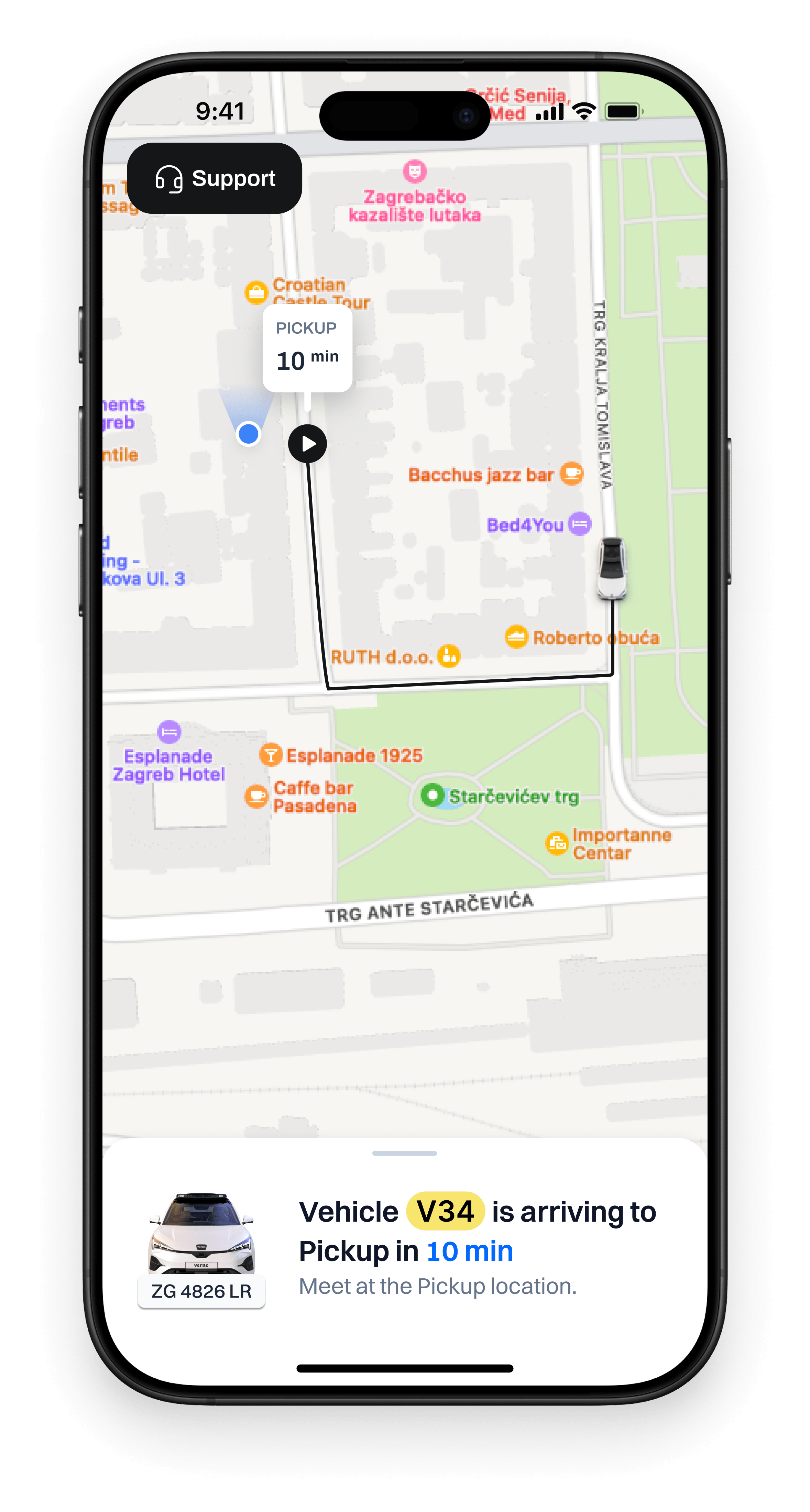
When you order a ride, you’ll be matched with a vehicle.
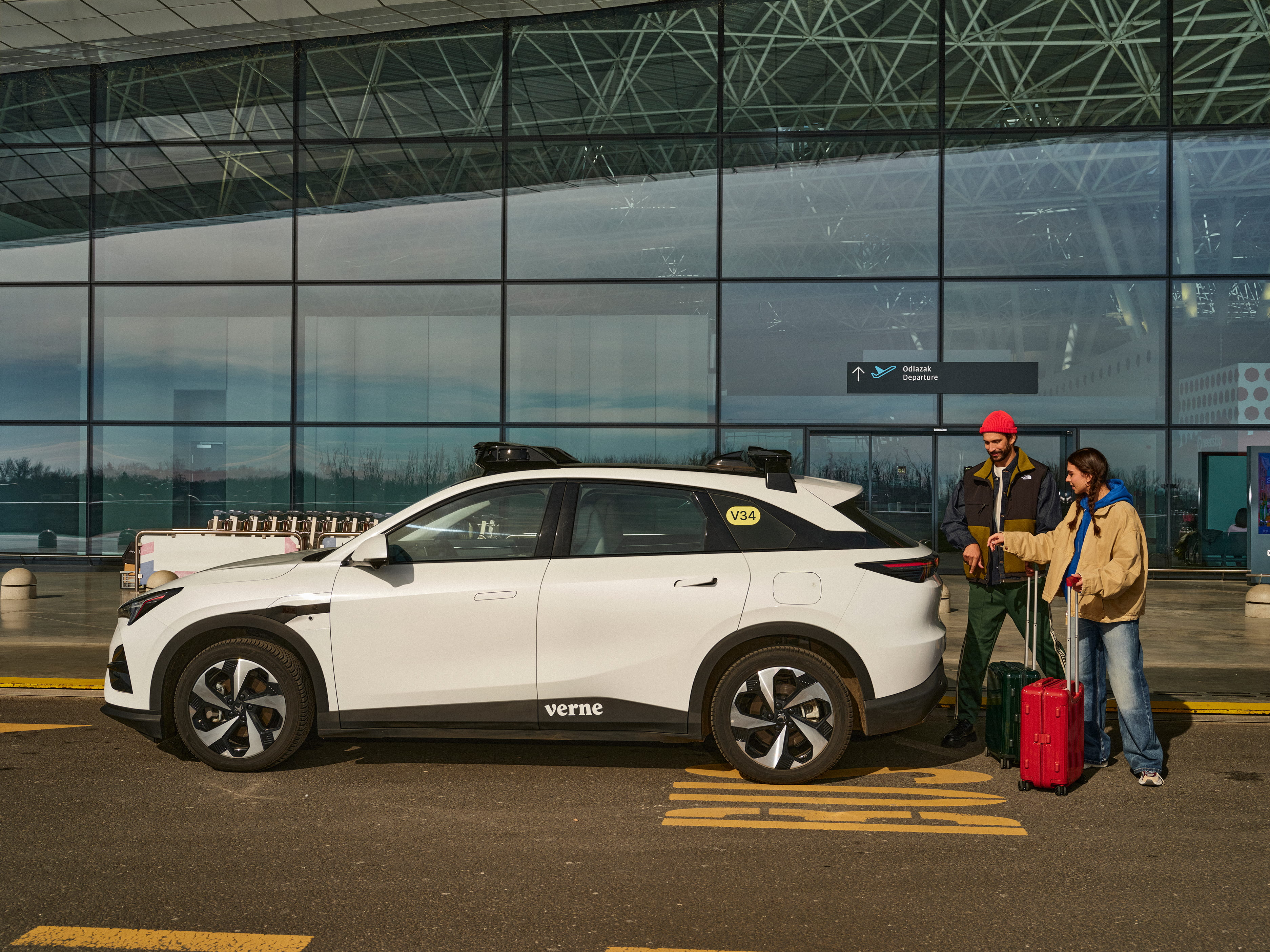
All have a unique ID (a combination of letters and numbers, for instance V34)
clearly displayed in a yellow pill-shaped sticker on the back windows, behind the passenger doors. While you are waiting for your vehicle to pick you up, that ID is visible
in the app. Once you see a vehicle with the ID shown in the app: that one is yours.
Additionally, you can also match license plates,
as they are also shown in the app.
When you order a ride, you’ll be matched with a vehicle. All have a unique ID (a combination of letters and numbers, for instance V34)
clearly displayed in a yellow pill-shaped sticker on the back windows, behind the passenger doors. While you are waiting for your vehicle to pick you up, that ID is visible in the app. Once you see a vehicle with the ID shown in the app:
that one is yours.
Additionally, you can also match license plates,
as they are also shown in the app.
When you order a ride, you’ll be matched with a vehicle.
All have a unique ID (a combination of letters and numbers, for instance V34) clearly displayed in a yellow pill-shaped sticker on the back windows, behind the passenger doors. While you are waiting for your vehicle to pick you up, that ID is visible
in the app. Once you see a vehicle with the ID shown in the app: that one is yours.
Additionally, you can also match license plates,
as they are also shown in the app.
Unlocking & getting in
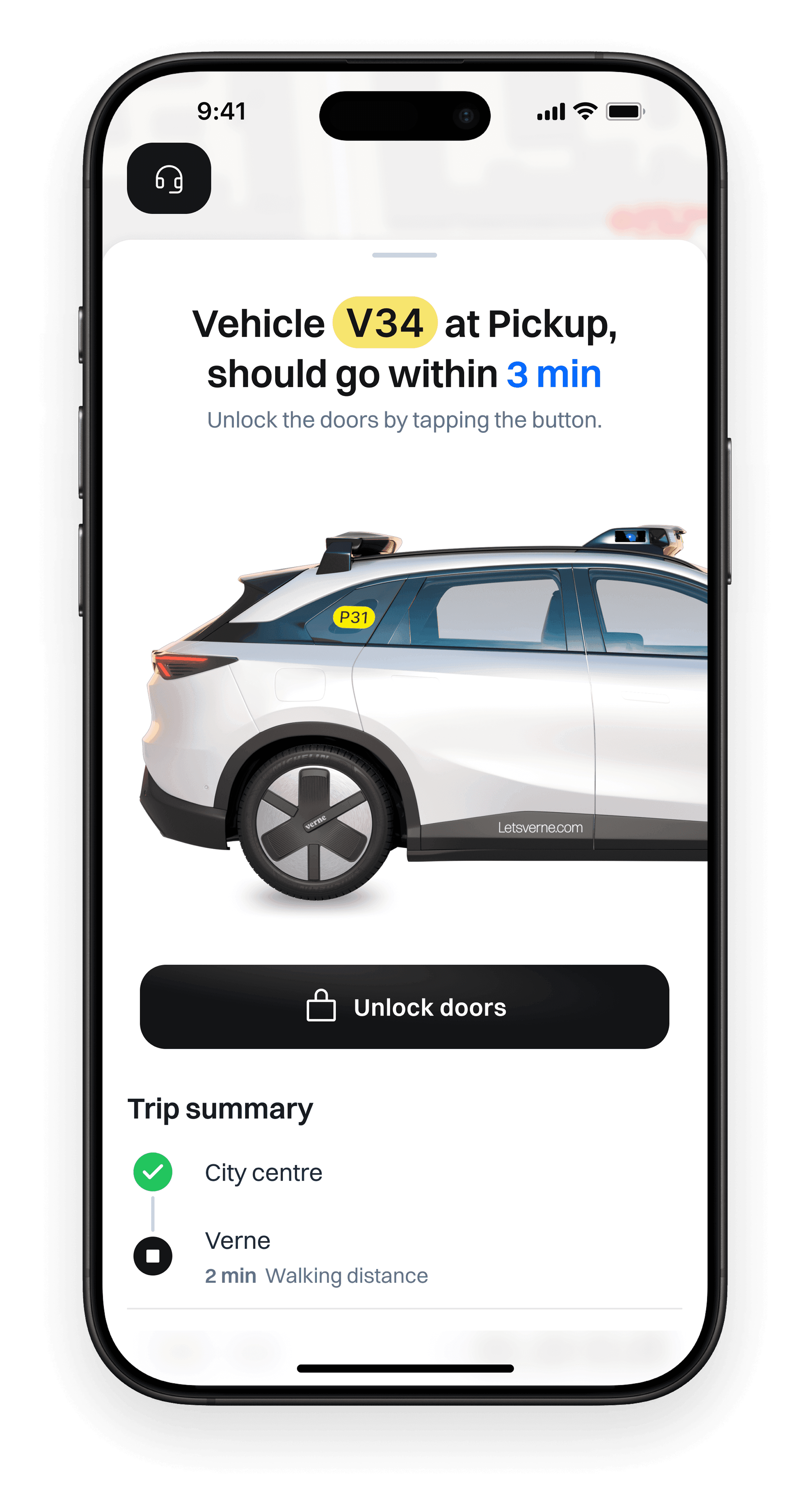
When you are near your vehicle, check the Verne app: it acts as a key.
You’ll see a big button labelled "Unlock doors." Press it, and the door handles
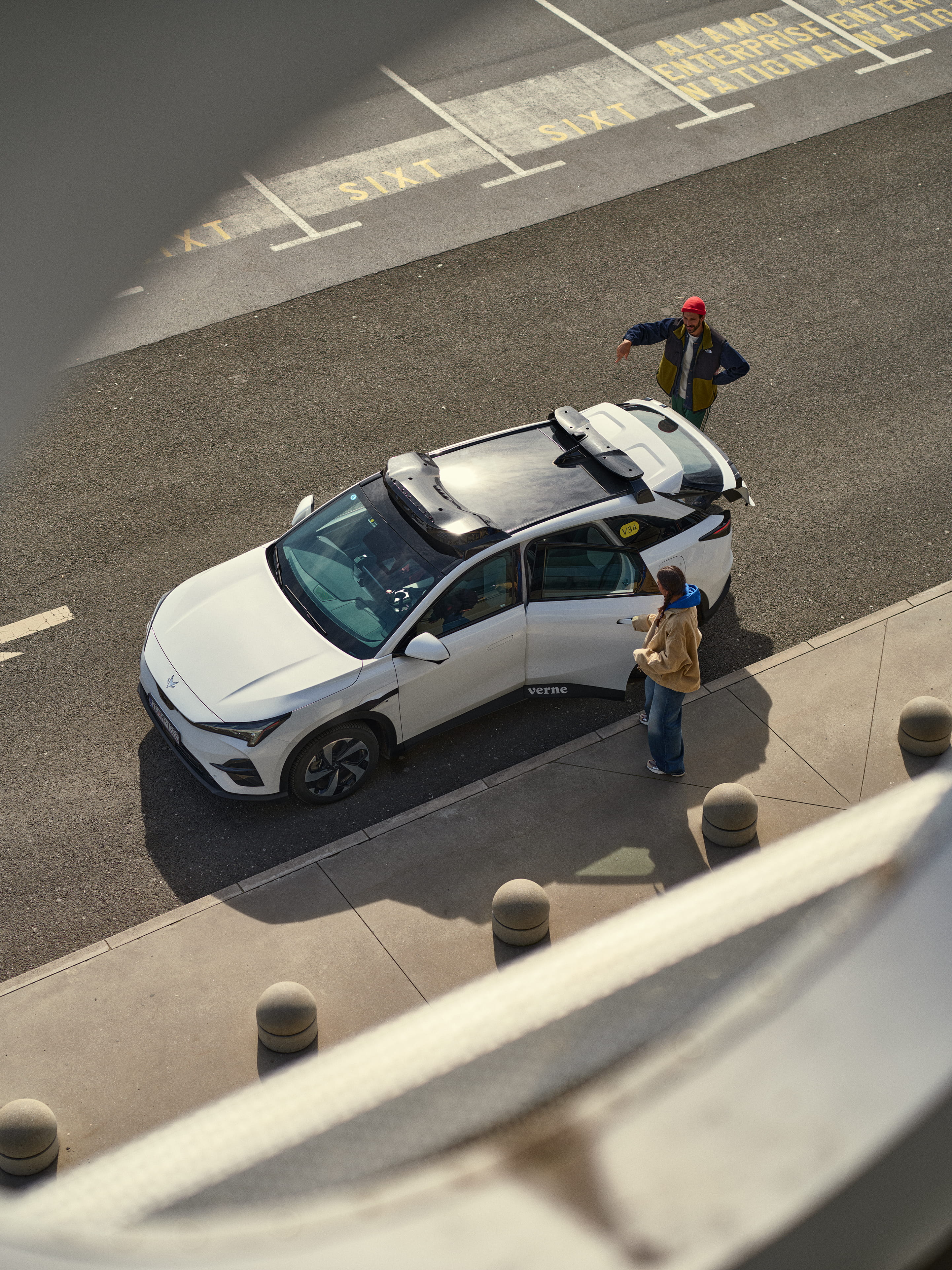
pop out, meaning the vehicle is unlocked. Please sit in the back seats or
in the front passenger seat. AV operators might sit in the driver's seat.
If you are travelling alone, sit in the back, since you can only start the ride from the back seats.
Close the doors, buckle up, and you are ready to start your ride.
When you are near your vehicle, check the Verne app: it acts as a key.
You’ll see a big button labelled "Unlock doors." Press it, and the door handles
pop out, meaning the vehicle is unlocked. Please sit in the back seats or
in the front passenger seat. AV operators might sit in the driver's seat.
If you are travelling alone, sit in the back, since you can only start the ride from the back seats.
Close the doors, buckle up, and you are ready to start your ride.
Starting your ride
Once you get inside and buckle up, focus on the small screen
between the front seats. That one is just for you, and you can use it
to interact with your vehicle.
You get going by tapping the Start ride button. Alternatively, you can also start the ride
by pressing the button in the Verne app.
The vehicle will then safely merge into the upcoming traffic,
which may take a few seconds.
IMPORTANT:
To start the ride, your seatbelt must be fastened,
and all doors and the trunk must be closed.
Once you get inside and buckle up, focus on the small screen
between the front seats. That one is just for you, and you can use it
to interact with your vehicle.
You get going by tapping the Start ride button. Alternatively, you can also start the ride by pressing the button in the Verne app.
The vehicle will then safely merge into the upcoming traffic,
which may take a few seconds.
IMPORTANT:
To start the ride, your seatbelt must be fastened,
and all doors and the trunk must be closed.
Once you get inside and buckle up, focus on the small screen
between the front seats. That one is just for you, and you can use it
to interact with your vehicle.
You get going by tapping the Start ride button. Alternatively, you can also start the ride by pressing the button
in the Verne app.
The vehicle will then safely merge into the upcoming traffic,
which may take a few seconds.
IMPORTANT:
To start the ride, your seatbelt must be fastened,
and all doors and the trunk must be closed.
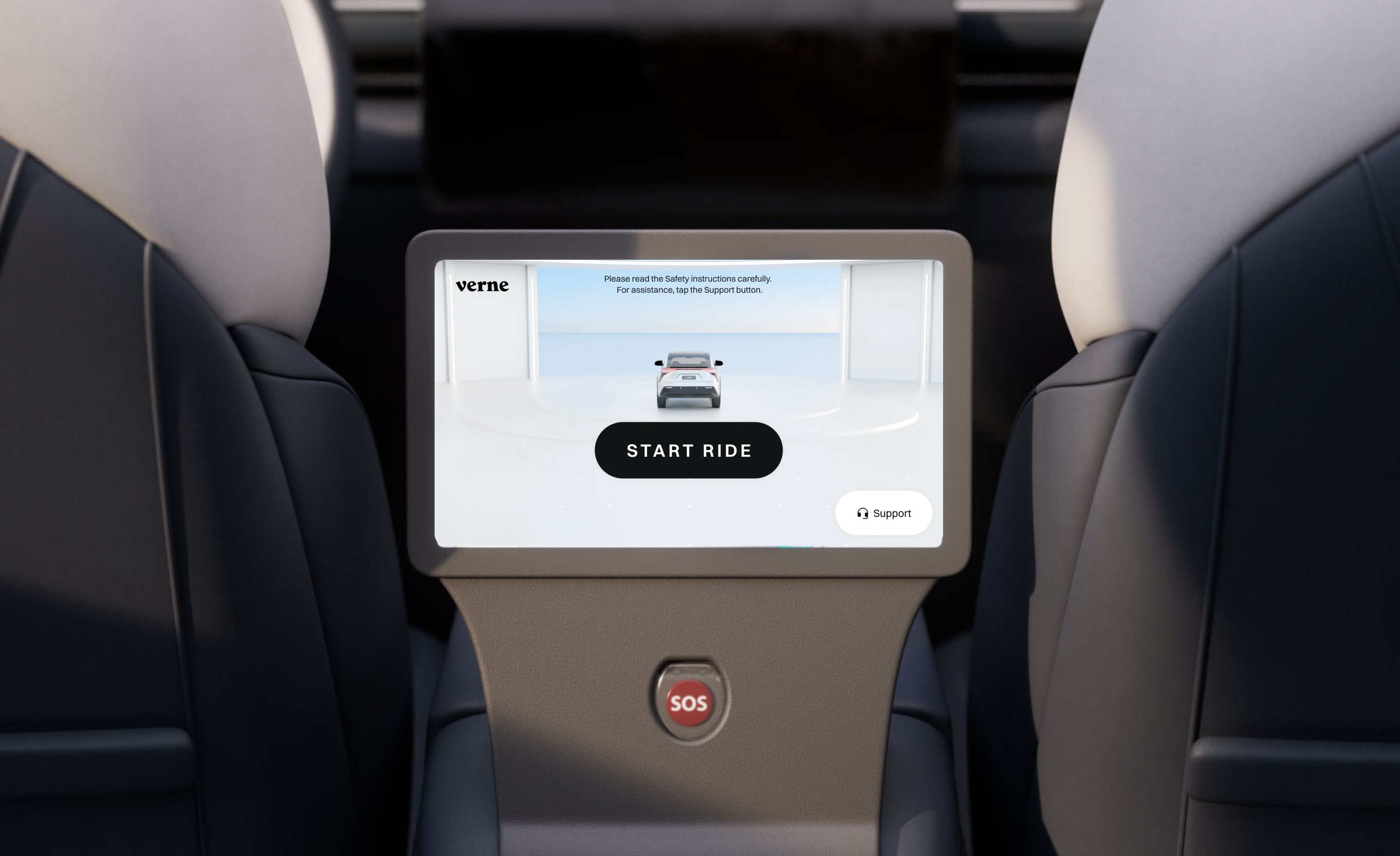
Our vehicles
Interior
Please sit in the back or in the front passenger seat.
AV operator might be sitting in the driver’s seat.
To interact with the vehicle, use the screen between the back seats.
Use it to check your arrival time, see how our vehicles perceive
the surrounding traffic, and learn more about our service.
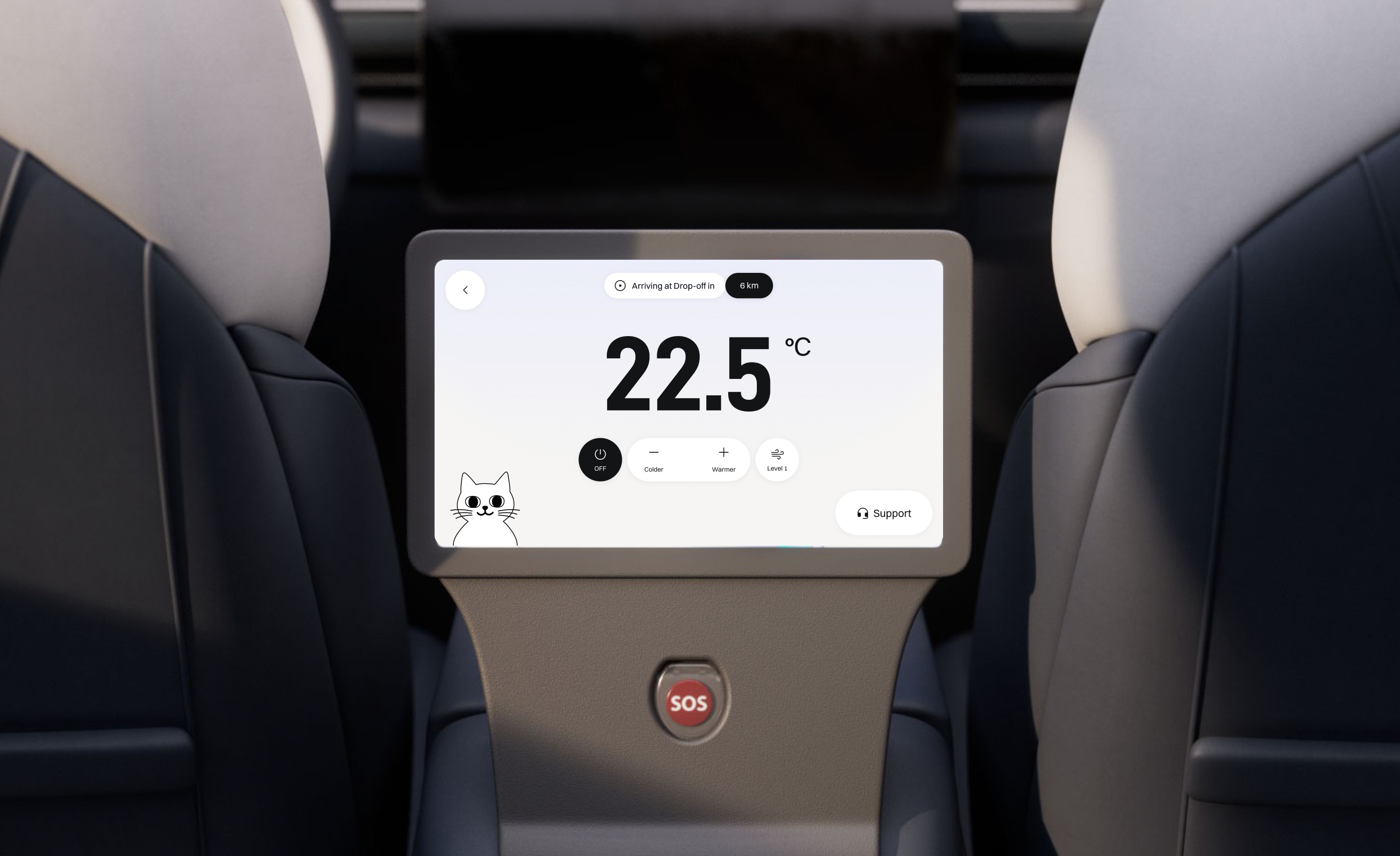
Also, by tapping the interior menu item, you can adjust
the temperature and the fan speed. Adjust the air blowing direction by
moving the air vents manually, as you would in any other car.
Please do not touch the screens in front of other vehicle controls.
Feel free to open the windows, but don’t lean outside.
Please sit in the back or in the front passenger seat.
AV operator might be sitting in the driver’s seat.
To interact with the vehicle, use the screen between the back seats.
Use it to check your arrival time, see how our vehicles perceive
the surrounding traffic, and learn more about our service.
Also, by tapping the interior menu item, you can adjust
the temperature and the fan speed. Adjust the air blowing direction by
moving the air vents manually, as you would in any other car.
Please do not touch the screens in front of other vehicle controls.
Feel free to open the windows, but don’t lean outside.
Opening the doors
To open the doors, first unlock the vehicle via the mobile app.
When unlocked, door handles stick out: pull them to open the door.
Please don't use the driver's doors, and never sit behind the wheel.
When you reach your destination, check the surroundings for the upcoming traffic
and make sure it's safe to get out.
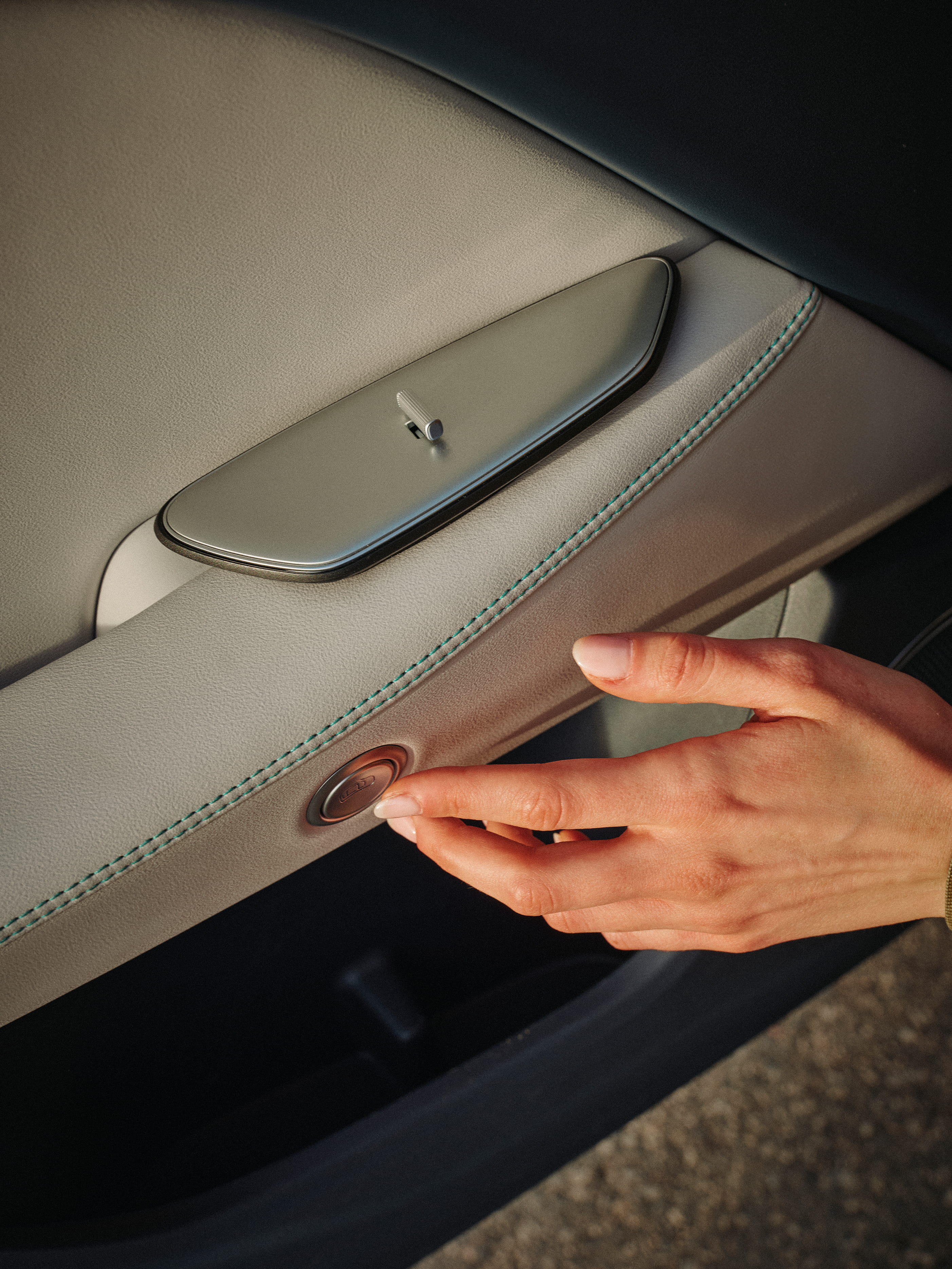
Our vehicles don't have a classic interior door handle, so to open the door
from the inside, press the round button on the door panel, right under the armrest.
To open the doors, first unlock the vehicle via the mobile app.
When unlocked, door handles stick out: pull them to open the door.
Please don't use the driver's doors, and never sit behind the wheel.
When you reach your destination, check the surroundings for the upcoming traffic
and make sure it's safe to get out.
Our vehicles don't have a classic interior door handle, so to open the door
from the inside, press the round button on the door panel, right under the armrest.
To open the doors, first unlock the vehicle via the mobile app.
When unlocked, door handles stick out: pull them to open the door.
Please don't use the driver's doors, and never sit behind the wheel.
When you reach your destination, check the surroundings for the upcoming traffic
and make sure it's safe to get out.
Our vehicles don't have a classic interior door handle, so to open the door
from the inside, press the round button on the door panel, right under the armrest.
Opening the trunk
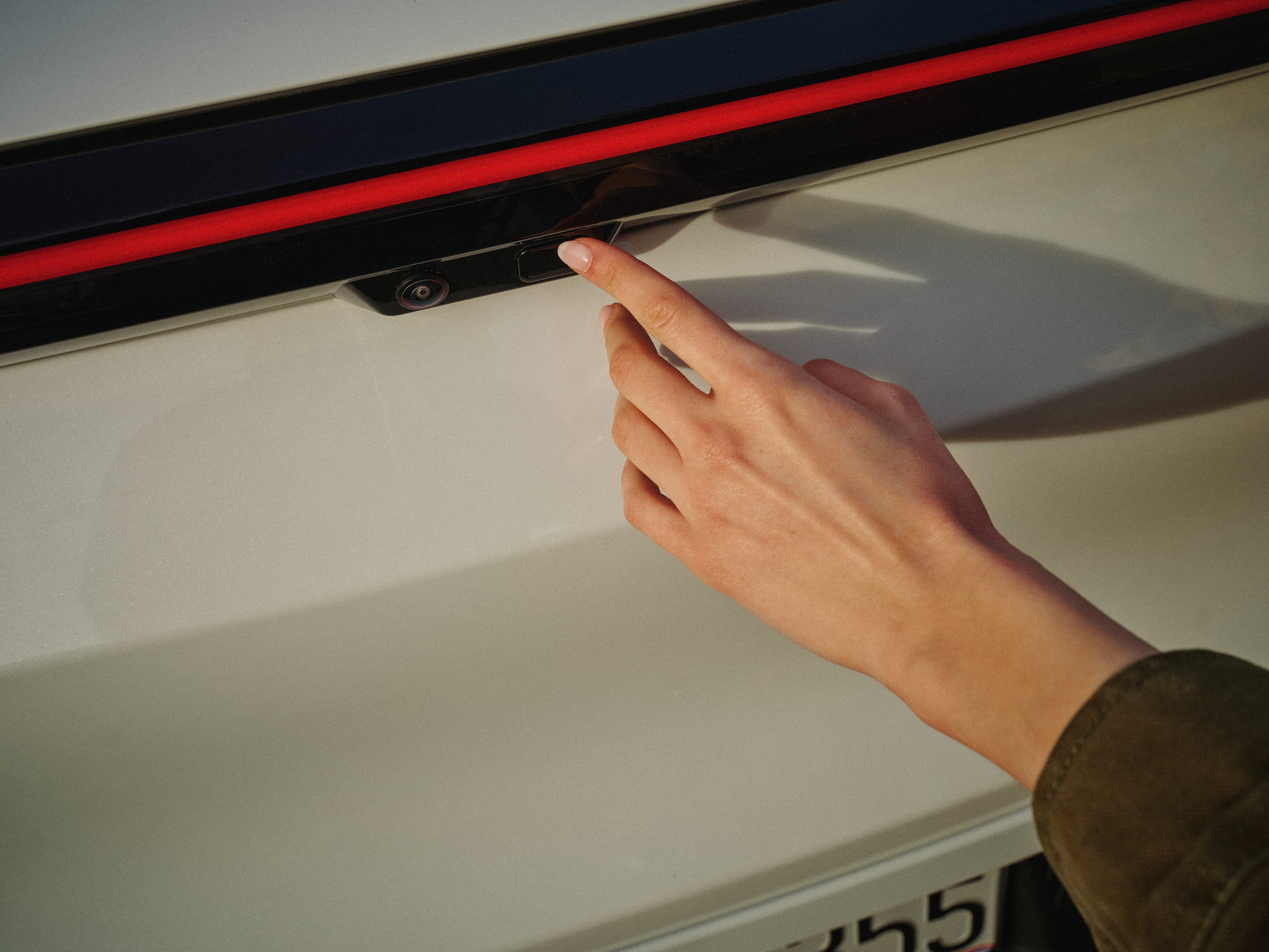
Once you unlock your vehicle, the trunk is unlocked as well. You can open the trunk by tapping the Open trunk button
in the app when the vehicle is at Pickup, or by pressing the physical button
under the red light bar on the back of the vehicle.
Trunk doors are motorised, so that they will open on their own. Once you leave your belongings inside, press the small rectangular button
to close the trunk door, or use the Close trunk button in the app.
Don’t try to push the doors closed.
Charging devices
The charging port is located below the climate vents and the back screen.
Feel free to plug in to charge your devices, but you’ll need to bring your
own charging cables.
The charging port is located below the climate vents and the back screen. Feel free to plug in to charge your devices, but you’ll need to bring your
own charging cables.
Our driving
Verne vehicles navigate traffic by using a complex system composed
of lidars, radars, and cameras that constantly monitor the area around
the vehicle in every direction.
This ensures the predictability of traffic situations and pedestrian detection
better than any human driver ever could. Plus, it never gets tired.
We always drive in a safe and predictable way, following all traffic laws and regulations.
We tested our vehicles in Zagreb under various traffic and weather conditions,
ensuring they deliver optimal performance in every scenario.
Our main focus is to keep all traffic participants safe at all times.
Verne vehicles navigate traffic by using a complex system composed of lidars, radars, and cameras that constantly monitor the area around the vehicle in every direction.
This ensures the predictability of traffic situations and pedestrian detection better than any human driver ever could. Plus, it never gets tired.
We always drive in a safe and predictable way, following all traffic laws and regulations.
We tested our vehicles in Zagreb under various traffic and weather conditions, ensuring they deliver optimal performance in every scenario. Our main focus is to keep all traffic participants safe at all times.
Help
In case of an accident
In a rare and unlikely case of an accident or an emergency,
try to remain calm.
Follow the instructions given by AV operators and first responders.
If you need to get out of the vehicle, do so in a calm way,
keeping an eye on the upcoming traffic.
In a rare and unlikely case of an accident or an emergency, try to remain calm.
Follow the instructions given by AV operators and first responders.
If you need to get out of the vehicle, do so in a calm way, keeping an eye on the upcoming traffic.
Customer support
To contact our Customer support, use the Support button in the Verne app.
If you are riding or have just ordered a ride, you’ll be connected with a helpful human.
Additionally, you can always use the Verne app to send us an email.
Choose Support from the bottom menu, then tap Contact us.
To contact our Customer support, use the Support button in the Verne app.
If you are riding or have just ordered a ride, you’ll be connected with a helpful human.
Additionally, you can always use the Verne app to send us an email. Choose Support from the bottom menu, then tap Contact us.
Lost items
If you want to retrieve an item you've left behind, use the app to go to Trip history.
Pick the ride and scroll down to Find lost item.
If you want to retrieve an item you've left behind, use the app to go to Trip history.
Pick the ride and scroll down to Find lost item.
Service
Area covered
Our service currently covers a limited area in Zagreb,
primarily the most frequently visited parts of the city,
such as the City Centre and the airport.
We are always working on expanding our service area,
so be sure to check for updates regularly.
Go to our service page to check for updates, or zoom out
on the map in the app.
Our service currently covers a limited area in Zagreb,
primarily the most frequently visited parts of the city,
such as the City Centre and the airport.
We are always working on expanding our service area, so be sure to check for updates regularly.
Go to our service page to check for updates, or zoom out
on the map in the app.
Pickups & Drop-offs
These are predetermined places on the city streets where our vehicles can safely
start and end the ride.
When you are ordering a ride, we will offer you a Pickup closest to your current location.
Same as when you enter your destination: we will offer you a Drop-off location
where the vehicle can stop, so you can exit safely.
If you prefer a different Pickup or Drop-off location, you can update both in the app.
Based on your current location, there may be some walking involved, but we always try
to minimise walking distance, while still focusing on your safety.
These are predetermined places on the city streets where our vehicles can safely
start and end the ride. When you are ordering a ride, we will offer you a Pickup closest to your current location. Same as when you enter your destination: we will offer you a Drop-off location where the vehicle can stop, so you can exit safely.
If you prefer a different Pickup or Drop-off location, you can update both in the app.
Based on your current location, there may be some walking involved, but we always try to minimise walking distance, while still focusing on your safety.
Pricing
Currently, all rides, regardless of the distance, cost the same — 1.99 euros.
Keep in mind that this is only during the promotional period and that
the pricing will change in the future.
Also, all ride cancellations are currently free, meaning you
can change your mind at any time.
Currently, all rides, regardless of the distance, cost the same — 1.99 euros.
Keep in mind that this is only during the promotional period and that the pricing will change in the future.
Also, all ride cancellations are currently free, meaning you can change your mind at any time.
Taking pets for a ride
Pets are not allowed yet, but service animals are permitted. You're required to clean up after them if they soil the vehicle.
Pets are not allowed yet, but service animals are permitted. You're required to clean up after them if they soil the vehicle.
Travelling with kids
You must be 18 or older to order a ride. Kids can join you,
but they can't ride on their own. For now, you can't order for somebody else.
If you are travelling with a toddler, be sure to bring your own child's seat.
Attach it to the back row seats using the ISOFIX mounting points.
Keep in mind that the AV operator can't help you with this,
since they have to stay in the vehicle at all times to supervise it.
You must be 18 or older to order a ride. Kids can join you, but they can't ride on their own. For now, you can't order for somebody else.
If you are travelling with a toddler, be sure to bring your own child's seat. Attach it to the back row seats using the ISOFIX mounting points.
Keep in mind that the AV operator can't help you with this, since they have to stay in the vehicle at all times to supervise it.
Account
Payments
All payments are done and processed via a third-party provider — Stripe.
To see how we process your personal data, read our Privacy Policy.
All payments are done and processed via a third-party provider — Stripe.
To see how we process your personal data, read our Privacy Policy.
Update personal info
You can update your personal information in the Verne app.
Go to Account → View profile, and then choose and
edit the desired personal information.
To see how we process your personal data, read our Privacy policy.
You can update your personal information in the Verne app.
Go to Account → View profile, and then choose and
edit the desired personal information.
To see how we process your personal data, read our Privacy policy.
Deleting an account
To delete your account use the Verne app. Go to Account → View profile,
and then scroll all the way down, and tap on Delete account. This erases all
your personal data and the data about your past rides.
To see how we process your personal data, read our Privacy policy.
To delete your account use the Verne app. Go to Account → View profile,
and then scroll all the way down, and tap on Delete account. This erases all your personal data and the data about your past rides.
To see how we process your personal data, read our Privacy policy.
Interior cameras
Interior cameras are turned off, and they are not recording video or audio.
To see how we process your personal data, read our Privacy policy.
Interior cameras are turned off, and they are not recording video or audio.
To see how we process your personal data, read our Privacy policy.
Interior cameras are turned off, and they are not recording video or audio. To see how we process your personal data, read our Privacy policy.
Code of conduct
Age restriction
To use our service, you must be 18 or older.
Kids can’t ride alone, but they can join their parents
or legal guardians for a ride.
To use our service, you must be 18 or older.
Kids can’t ride alone, but they can join their parents
or legal guardians for a ride.
No pets
Pets can't ride yet, but service animals can. You're required to clean up after them if they soil the vehicle.
Pets can't ride yet, but service animals can. You're required to clean up after them if they soil the vehicle.
Keep seatbelts fastened
During the whole ride, your seatbelts must be fastened.
During the whole ride, your seatbelts must be fastened.
Trunk
You can use the trunk to store your belongings.
You can open the trunk by tapping the Open trunk button
in the app when the vehicle is at Pickup, or by pressing the physical button
under the red light bar on the back of the vehicle.
You can use the trunk to store your belongings.
You can open the trunk by tapping the Open trunk button in the app when the vehicle is at Pickup, or by pressing the physical button under the red light bar on the back of the vehicle.
You can use the trunk to store your belongings.
You can open the trunk by tapping the Open trunk button
in the app when the vehicle is at Pickup, or by pressing the physical button under the red light bar on the back of the vehicle.
Only use the rear screen
The small screen in the back is only for you. Use it to interact with the vehicle.
Please do not touch the steering wheel or the screens and vehicle controls
in the front.
The small screen in the back is only for you. Use it to interact with the vehicle.
Please do not touch the steering wheel or the screens and vehicle controls
in the front.
AV operators
The AV operator sits in the front and supervises the ride at all times.
They may take over if the vehicle needs assistance.
They can’t assist you with your luggage or with child seats.
Please don’t disturb them while they're working.
The AV operator sits in the front and supervises the ride at all times.
They may take over if the vehicle needs assistance. They can’t assist you with your luggage or with child seats. Please don’t disturb them while they're working.
Keep the interior pristine
Smoking and vaping are prohibited. If you want to eat or drink, please keep
the interior as clean as possible. Also, if you damage the vehicle,
you’ll be fined.
Smoking and vaping are prohibited. If you want to eat or drink, please keep the interior as clean as possible. Also, if you damage the vehicle, you’ll be fined.
Opening the windows
You can open the windows during your ride, but don’t lean outside.
You can open the windows during your ride, but don’t lean outside.
Stopping
To end your ride, press Pull over on the vehicle screen. Vehicle will then try
to find a nearest location where it can stop, so you can exit safely.
Keep in mind that sometimes your closest Pull over location is your initial destination.
To end your ride, press Pull over on the vehicle screen. Vehicle will then try to find a nearest location where it can stop, so you can exit safely.
Keep in mind that sometimes your closest Pull over location is your initial destination.